How Might We Design A Safe deposit locker booking better, easier and more accessible
Overview
Safe deposit lockers are a limited and high-trust service. At the time of this project, access was restricted to specific customers (Privi persona). It’s a bit of hassle to book a locker in India, users have to the branch where the account was opened.
Safe deposit lockers to population ratio is approximately, 1:567. This often meant long wait times and little visibility into locker availability.
The goal of this project was to make the locker booking experience clearer and less dependent on a single branch, so users could understand availability, pricing, and next steps before visiting a bank.
Role
Product designer
Project tenure
3 Months
Early-career project (≈3 years ago)
Stakeholders
Design lead
Product Managers (Digital + Bank)
Bank Agency Managers
The Real Problem
People don’t use safe deposit lockers very often, but when they do, they’re usually nervous about getting something wrong. Most actions can’t be easily undone, so users look for clear guidance at every step. When the system doesn’t explain things well or moves too quickly, users lose confidence and end up relying on bank staff instead of the app.
Constraints & Considerations
This project came with it's own constraints from the both, users and business end.
Business & Operational Constraints
Physical lockers have non-reversible actions
Failures require manual recovery
Accountability and traceability are critical
User Constraints
High fear of irreversible mistakes
Low tolerance for ambiguity
Preference for reassurance over speed
User-Interviews Highlighted
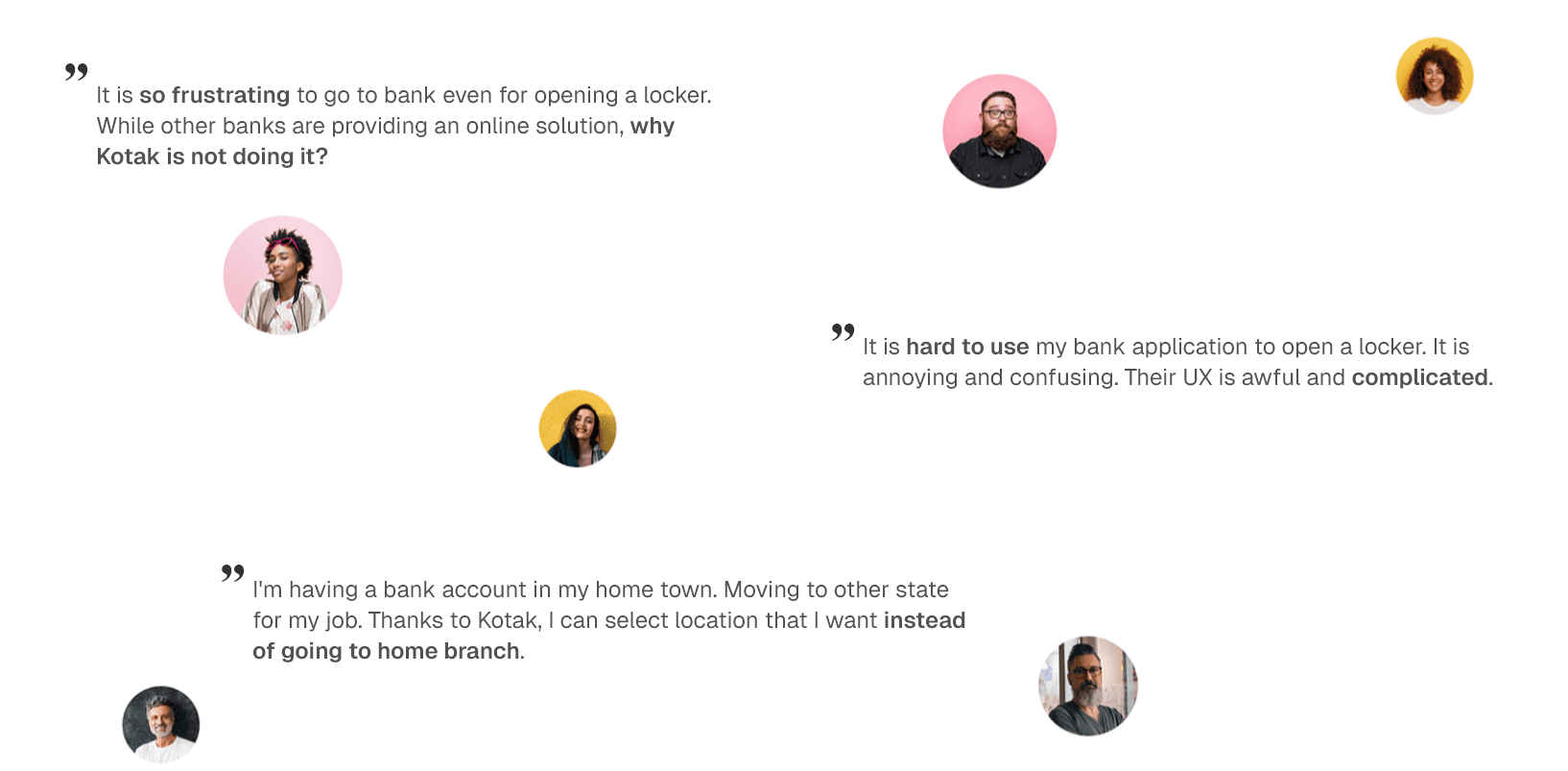
We spoke with 20-25 people outside of Kotak to learn about their experiences with locker bookings at their current banks.
In-person visits required and long wait times at banks.
users expected real-time information, about what's happening with their locker.
Wanted ability to manage lockers remotely.
Limited availability leads to dis-satisfaction
Users want to see locker options and pricing information upfront.
No dedicated solution for senior citizens and physically handicapped people.
Lack of user control in locker selection
Some lockers may require ladder or bending our body to reach those lockers.
Building Flow From The Scratch
Once the IA is done in Overflow, We worked on the user flow
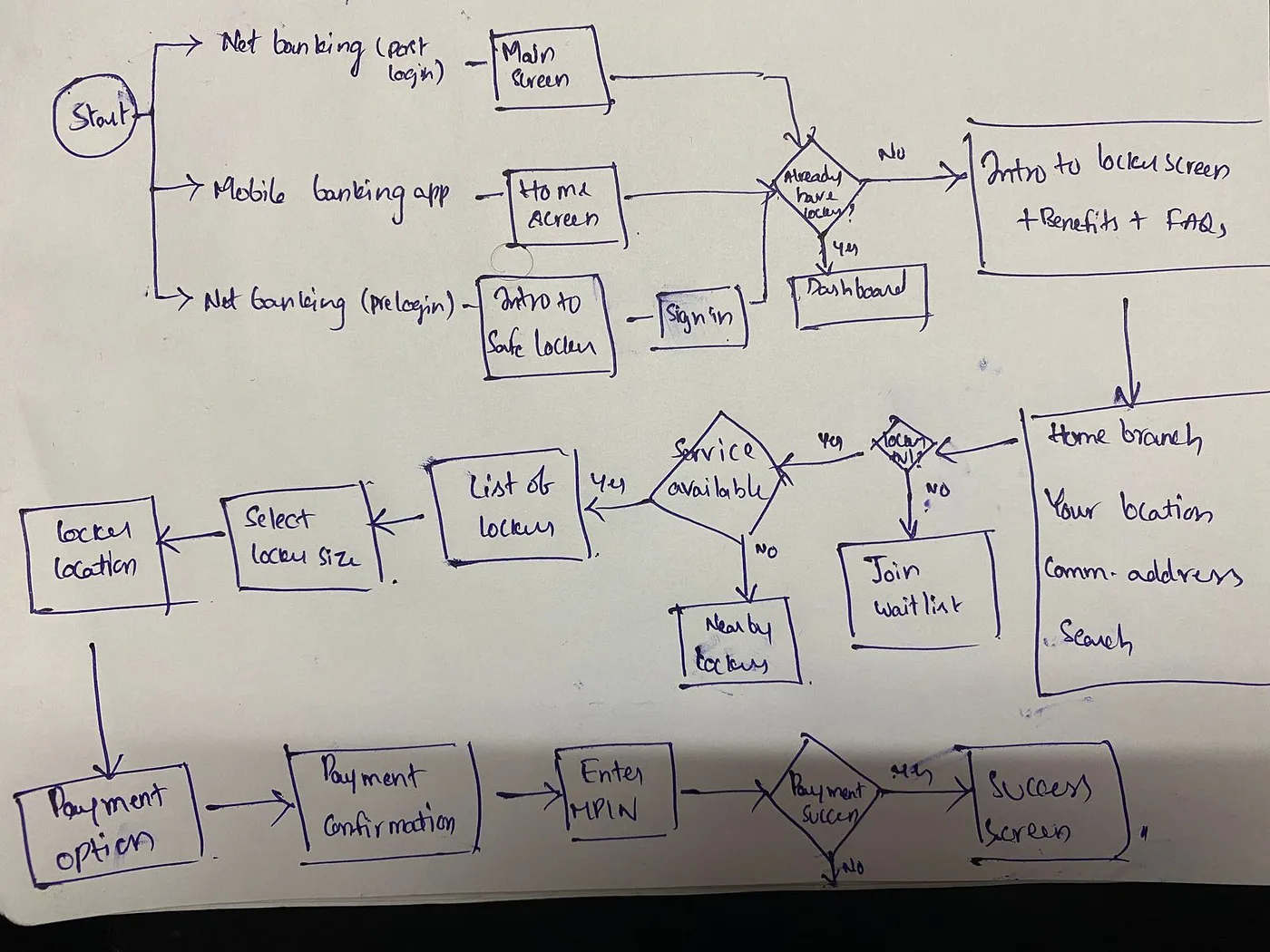
The hand-drawn flow diagram reflects how decisions were validated before screens were finalized:
Entry conditions defined first
Availability branches handled explicitly
Failure paths designed alongside happy paths
Payment success and failure states treated equally
This ensured the system behaved predictably across:
User preference conflicts
Physical constraints
Financial constraints
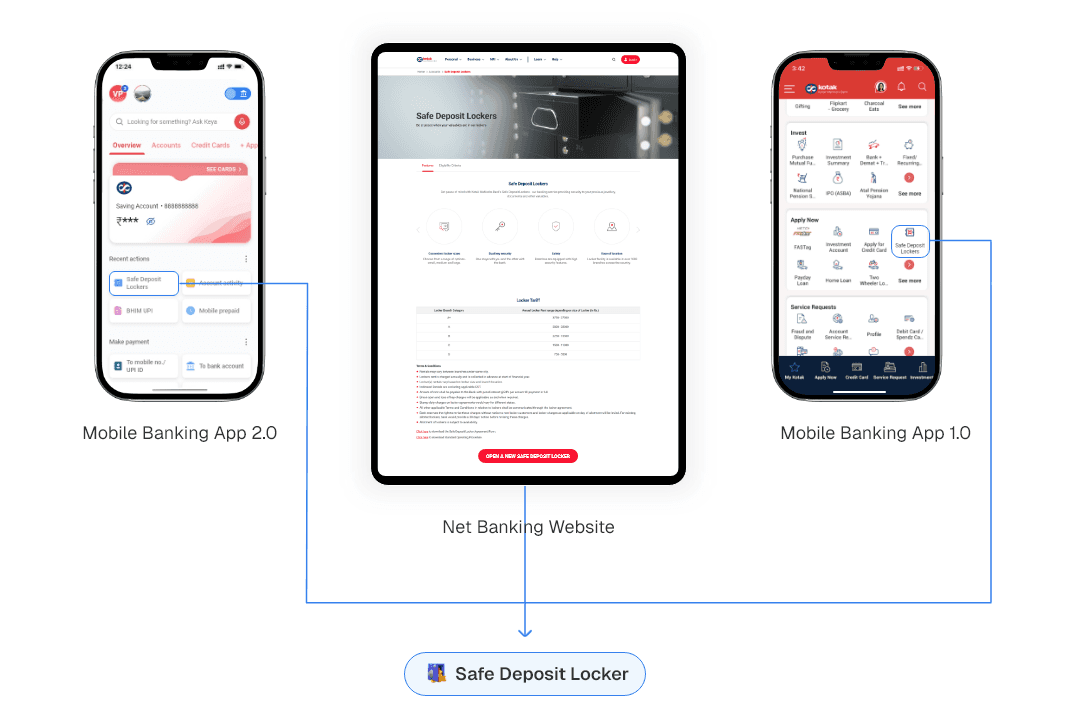
Support multiple entry points into the locker journey
Users can discover the Safe Deposit Locker feature from:
Logged-in home dashboard
Pre-login informational entry
Direct navigation from banking services
Why This Matters
Locker services are not a frequent task. Users may be exploring availability before committing, or returning after prior awareness. The system should not assume intent or authentication state too early.
Design outcome
The flow allows users to learn about locker services without friction, enter the booking flow only when intent is clear. This reduces drop-offs caused by premature authentication requirements.
Branch Discovery & Availability Handling
With the existing system, users could only access lockers at their home branch, which created dead ends when services were unavailable. Users are given multiple ways to check availability:
Home branch
Current location
Communication address
Manual branch search
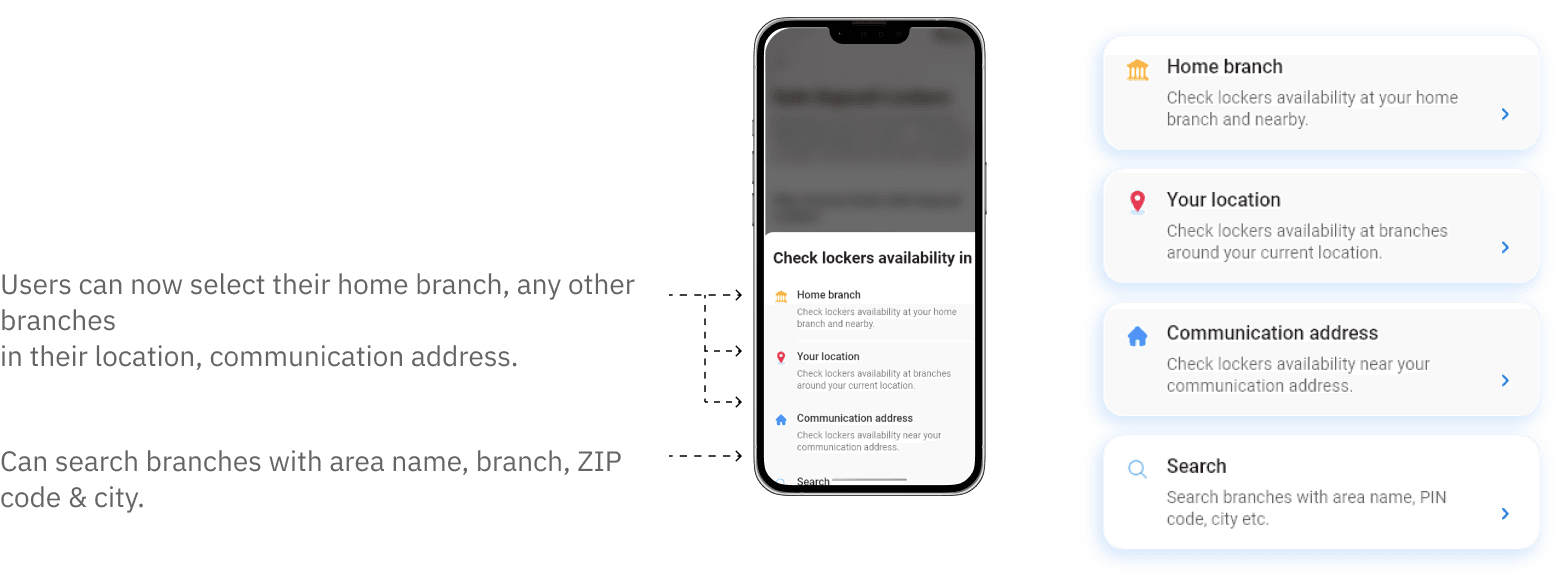
This removes a single point of failure and respects real-world mobility (travel, relocation, temporary stays).
Never block the user without alternatives
Users can discover the Safe Deposit Locker feature from:
Logged-in home dashboard
Pre-login informational entry
Direct navigation from banking services
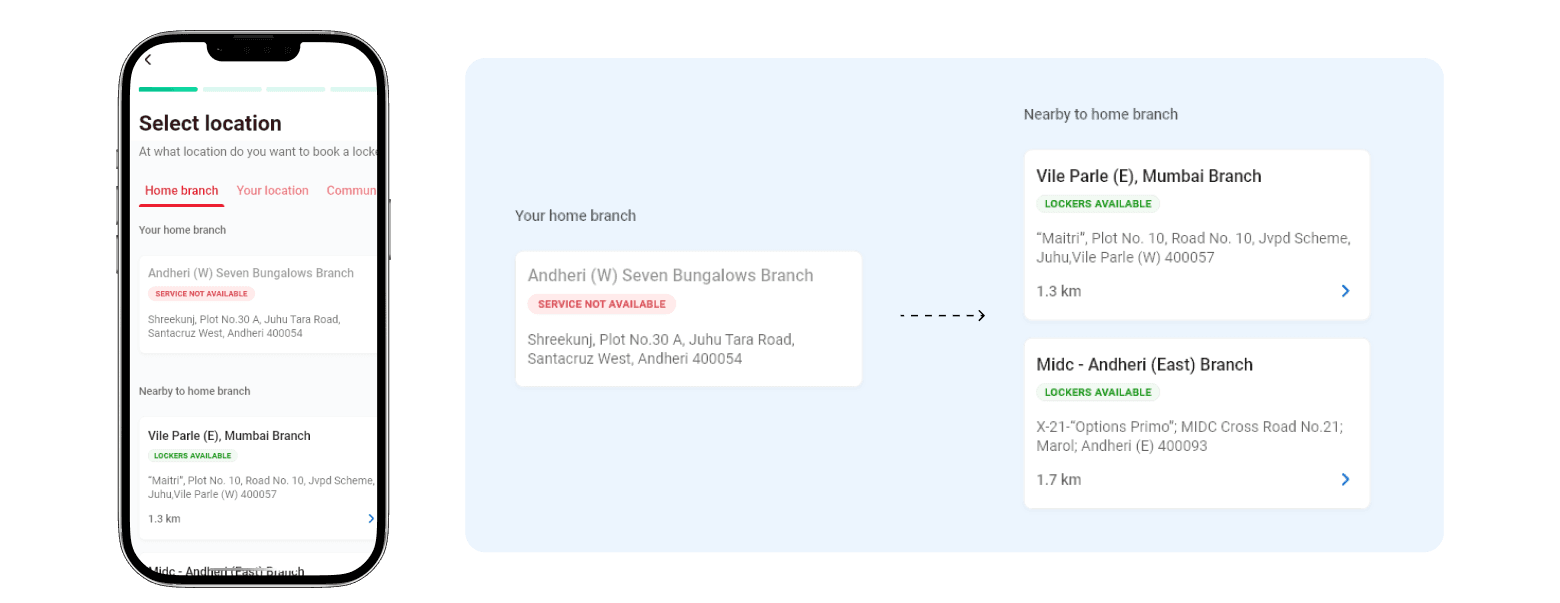
A blocked flow increases abandonment. A redirected flow maintains momentum.
Handling Strong Home-Branch Preference
Some users insist on their home branch due to trust, familiarity, or documentation reasons.
Users can explicitly join a waitlist
Nearby alternatives are still visible
The system respects preference without forcing compromise
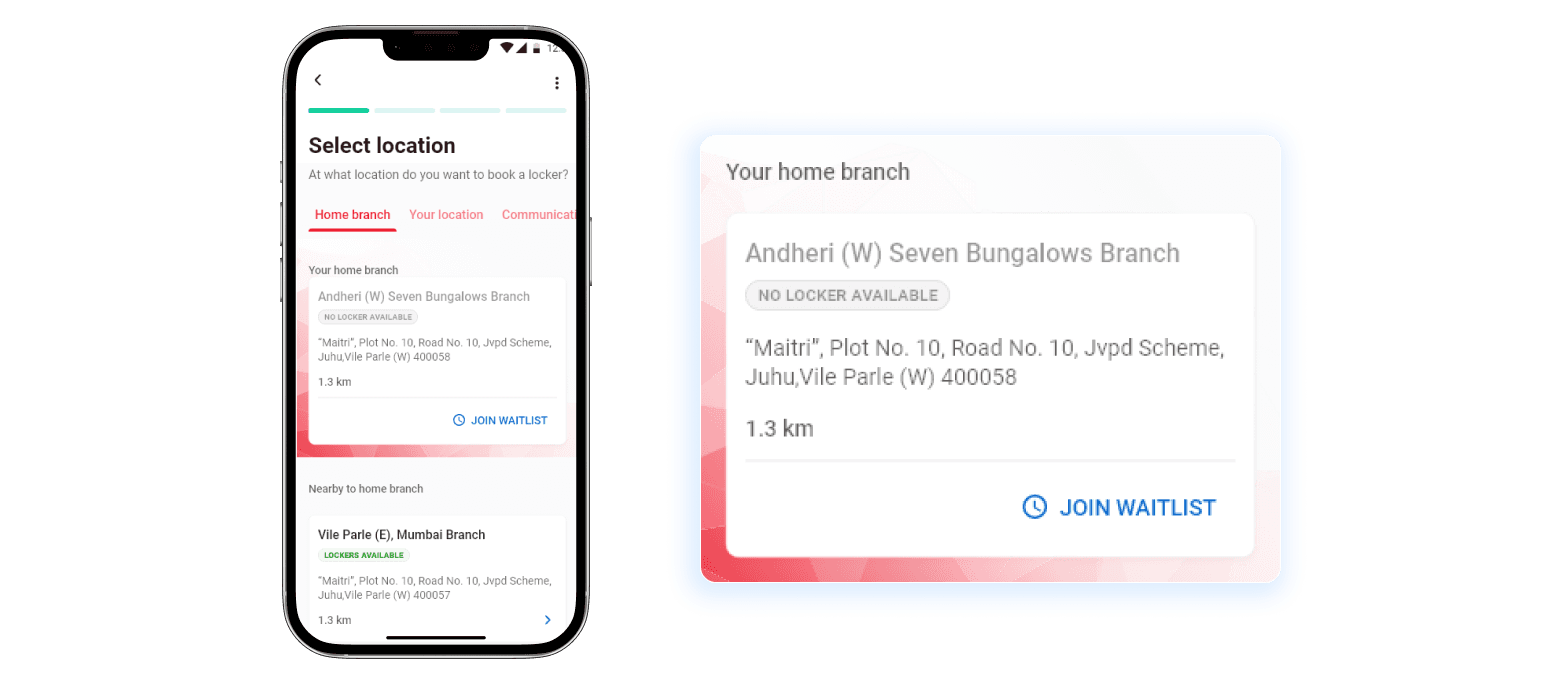
This balances user intent with operational reality.
Locker Location & Accessibility Considerations
Lockers are physically arranged at different heights:
Top (may require ladder)
Middle (most accessible)
Bottom (may require bending)
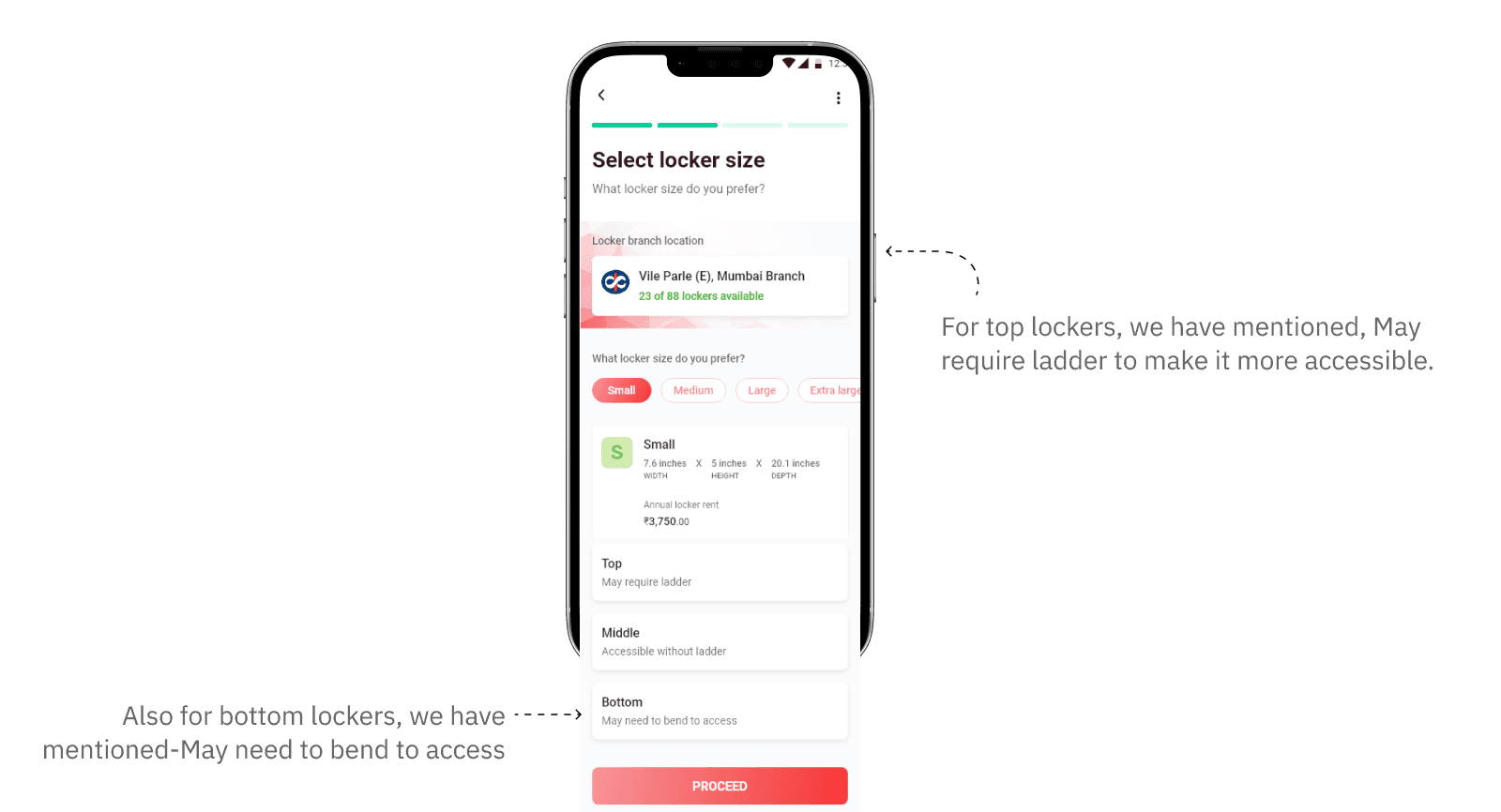
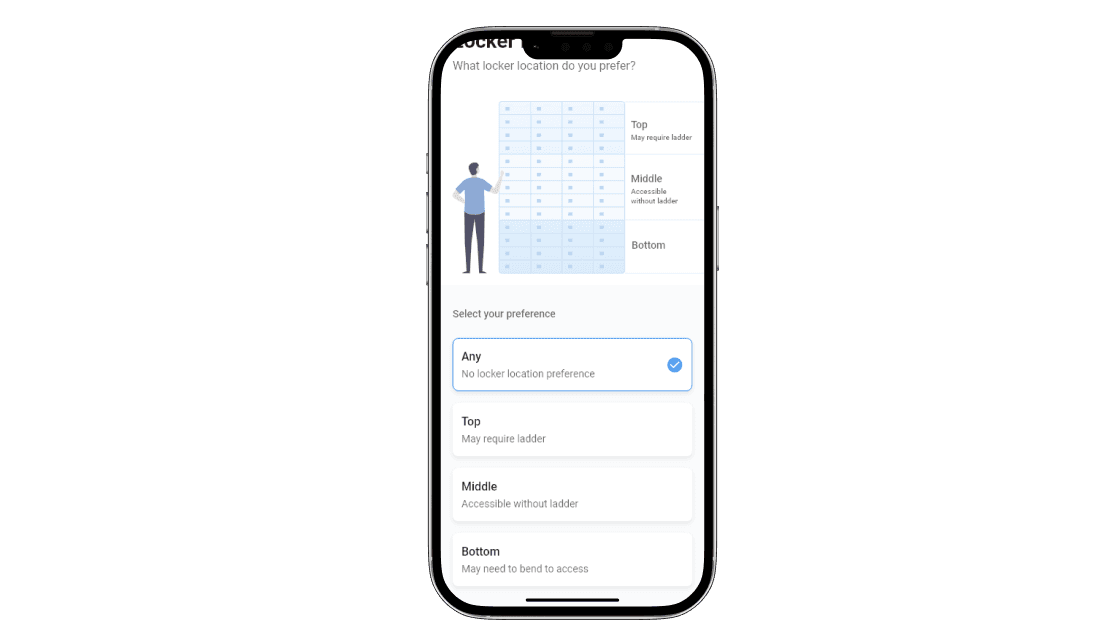
Physical constraints disproportionately affect elderly users and users with mobility challenges
Design outcome
Users can explicitly choose locker height preference, or opt for “Any” if they are flexible. This avoids assigning physically inaccessible lockers post-booking.
Locker Size Selection & Error Prevention
Choosing an undersized locker causes post-booking conflict. Users often store valuables like:
Gold chains
Diamond rings
Documents
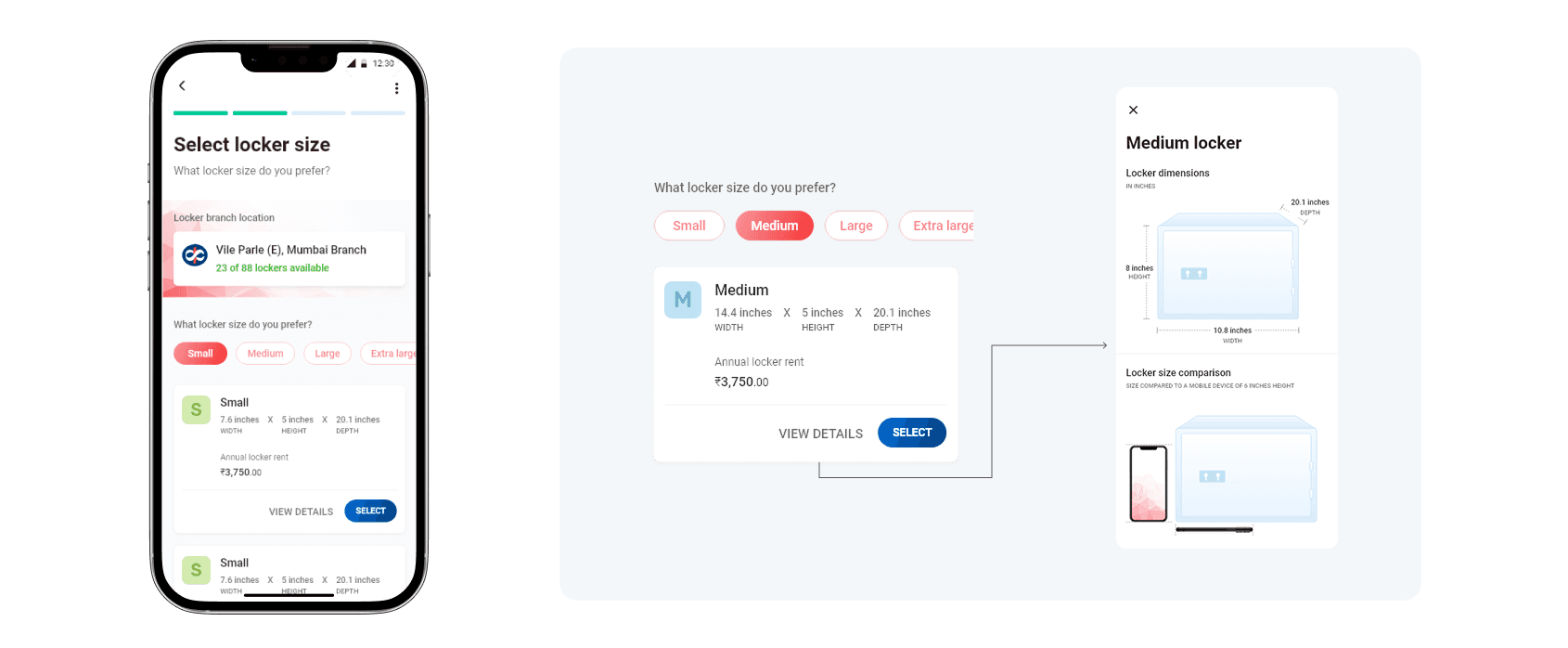
This is classic error prevention, not error handling. The system prevents a bad choice instead of apologizing later.
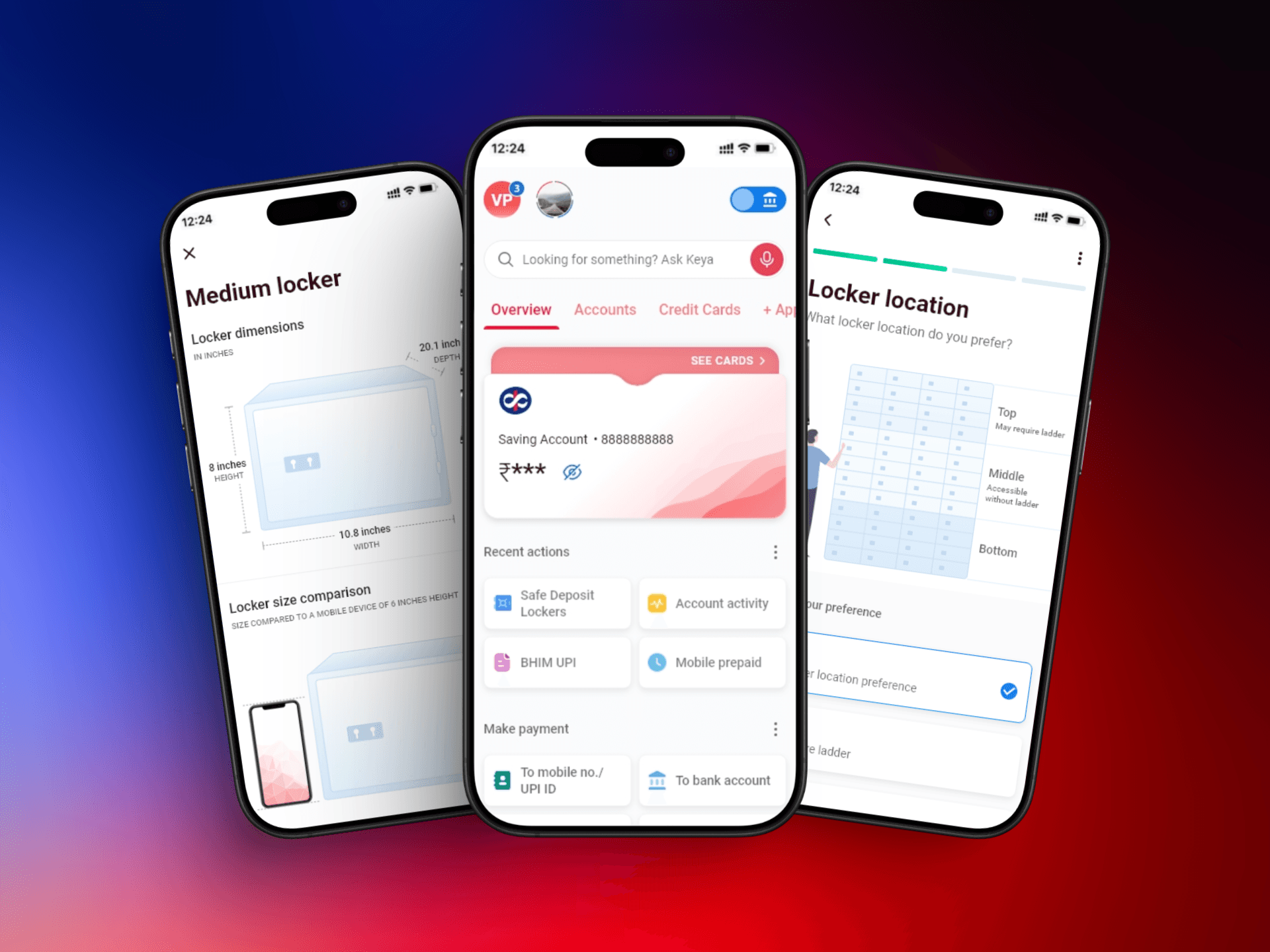
This design helped to show locker dimensions visually, real-world comparisons (mobile phone scale) are provided and pricing varies transparently by size
Payment Method Selection & Risk Handling
Users may have:
Multiple linked accounts
Varying balances
Promotional offers tied to specific accounts
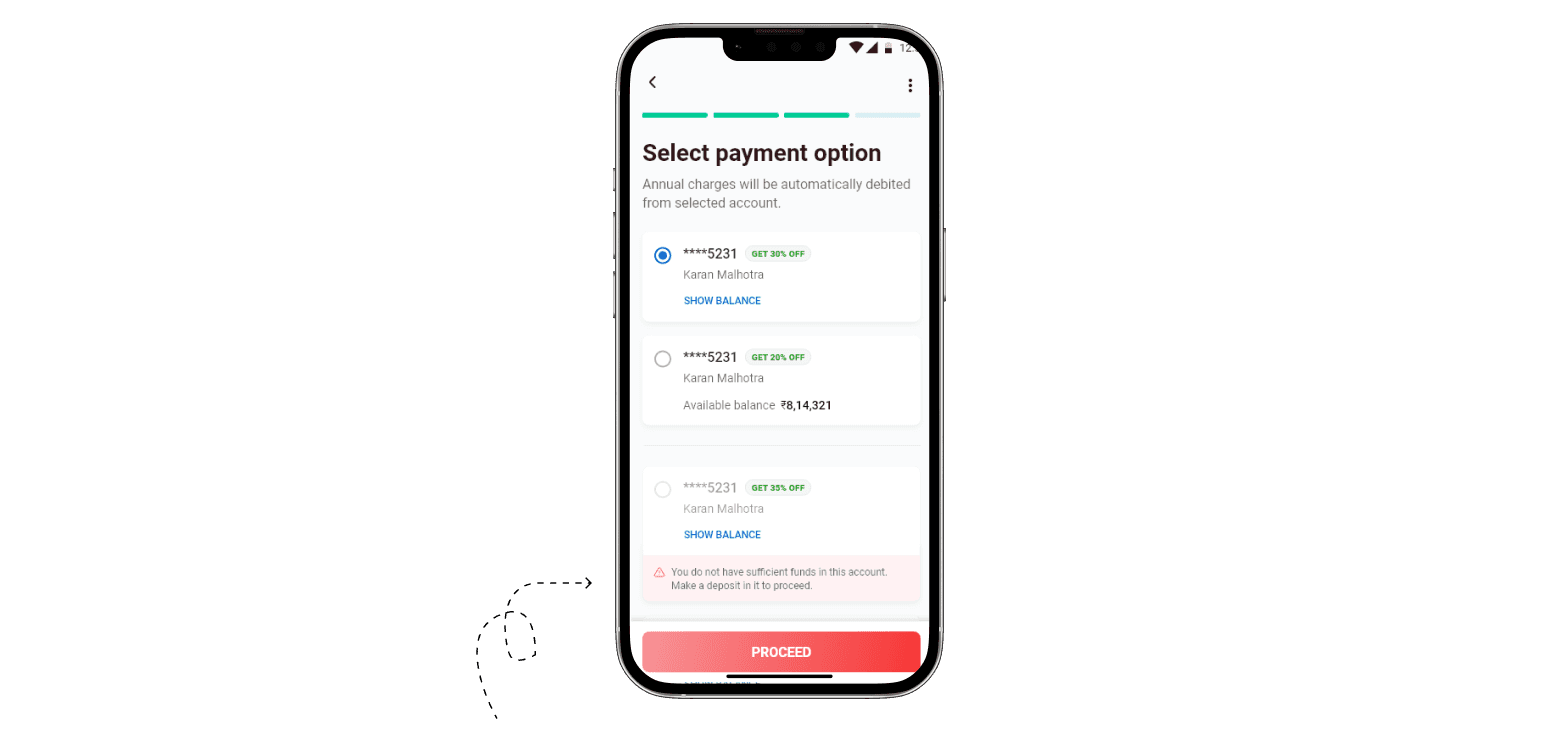
Instead of showing an error screen after "Proceed", we've displayed in-sufficient funds message with in this screen itself. This saves extra click if users don't have enough funds.
Account balances are visible, insufficient balance states are shown inline and the primary CTA remains disabled if payment fails.
Failed payments in banking systems increases customer support load, reduce trust and create confusion around partial states. This design ensures only viable payment paths move forward.
Confirmation & Next Steps Clarity
Booking a locker does not mean immediate access
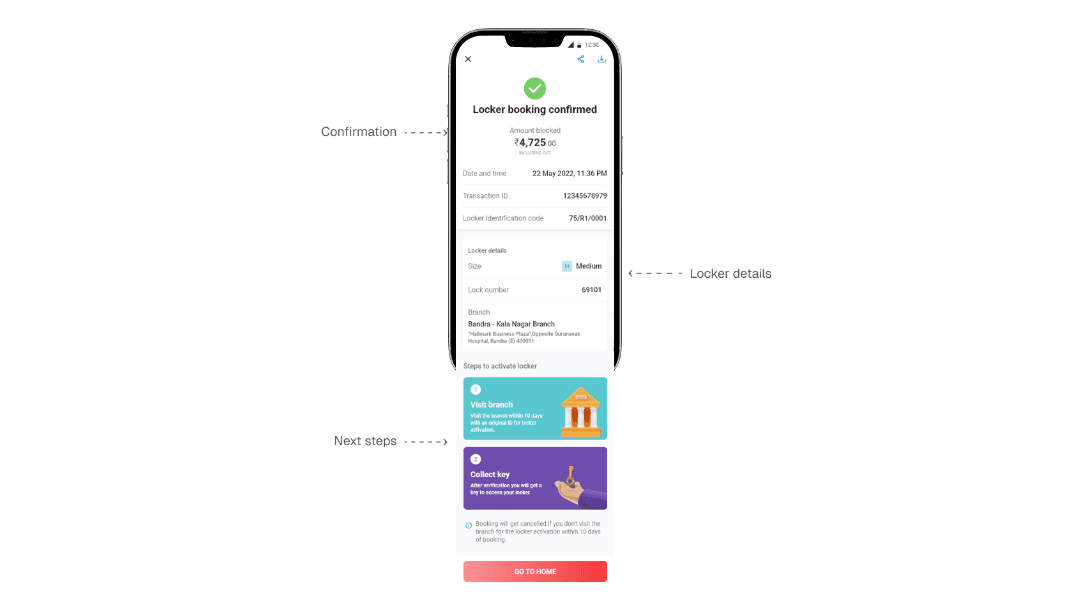
Ambiguity after high-value transactions causes anxiety. This screen answers “What happens now?” without assumptions.
The confirmation screen clearly communicates payment confirmation, locker details (branch, size, ID), offline next steps shown upfront - without ghosting users and Time limits for activation
Testing The Flow with Real Users
Once the visual design is done, I conducted another round of usability testing session by collaborating with customer experience team
We tested both easy/ happy flows and complex flows which includes edge case scenarios, empty states to get a clear understanding on time taken to complete the flow and asked follow-up questions after the testing. Following are the before and after screens.
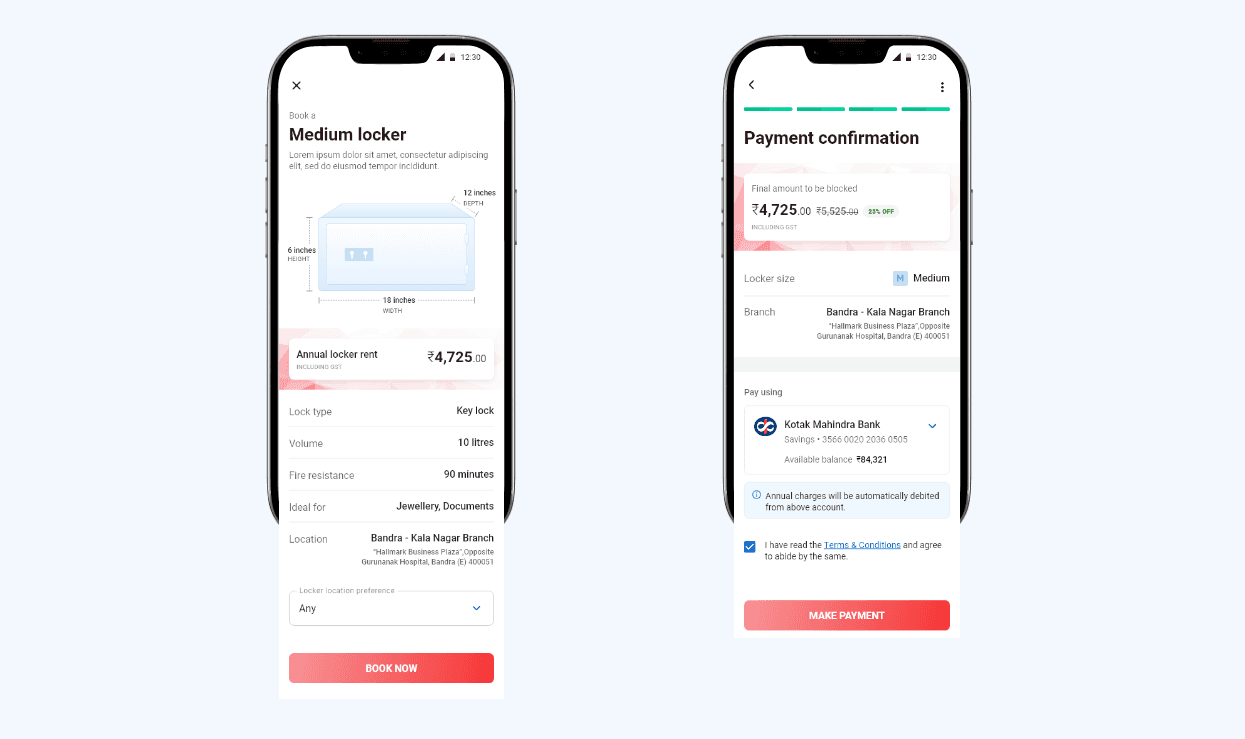
I noticed that users clearly understood the locker details but hesitated before proceeding because the price wasn’t immediately visible. We realized, users were deciding based on cost, not features.
I updated the screen to surface the annual locker rent more prominently, which helped users proceed with greater confidence.
Users paused due to unclear price visibility
Redesigned the screen to prioritize annual locker rent
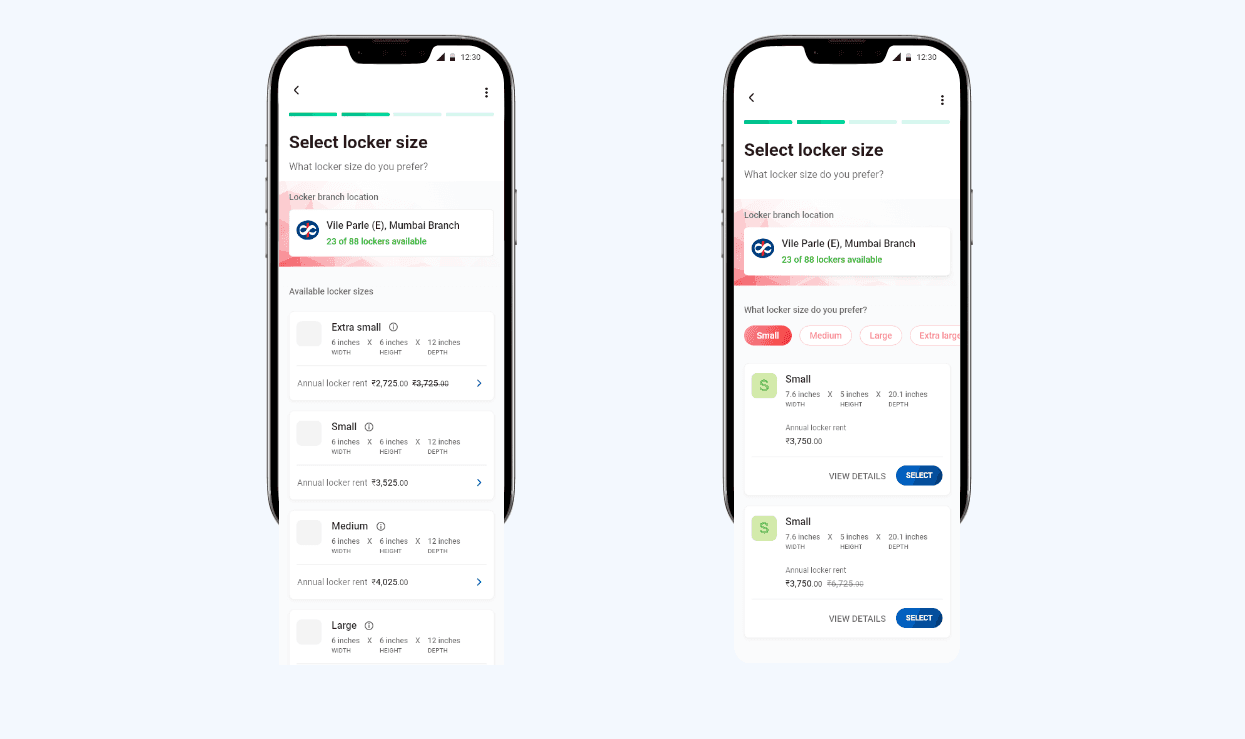
During usability testing, I noticed that users were scrolling through all locker sizes even when they already had a size in mind. To reduce scanning effort, I introduced size filters and clearer grouping, allowing users to narrow choices faster and make a confident selection without reading every option.
List view made comparison slow and tiring
Added size filters and clearer hierarchy to speed up decision-making
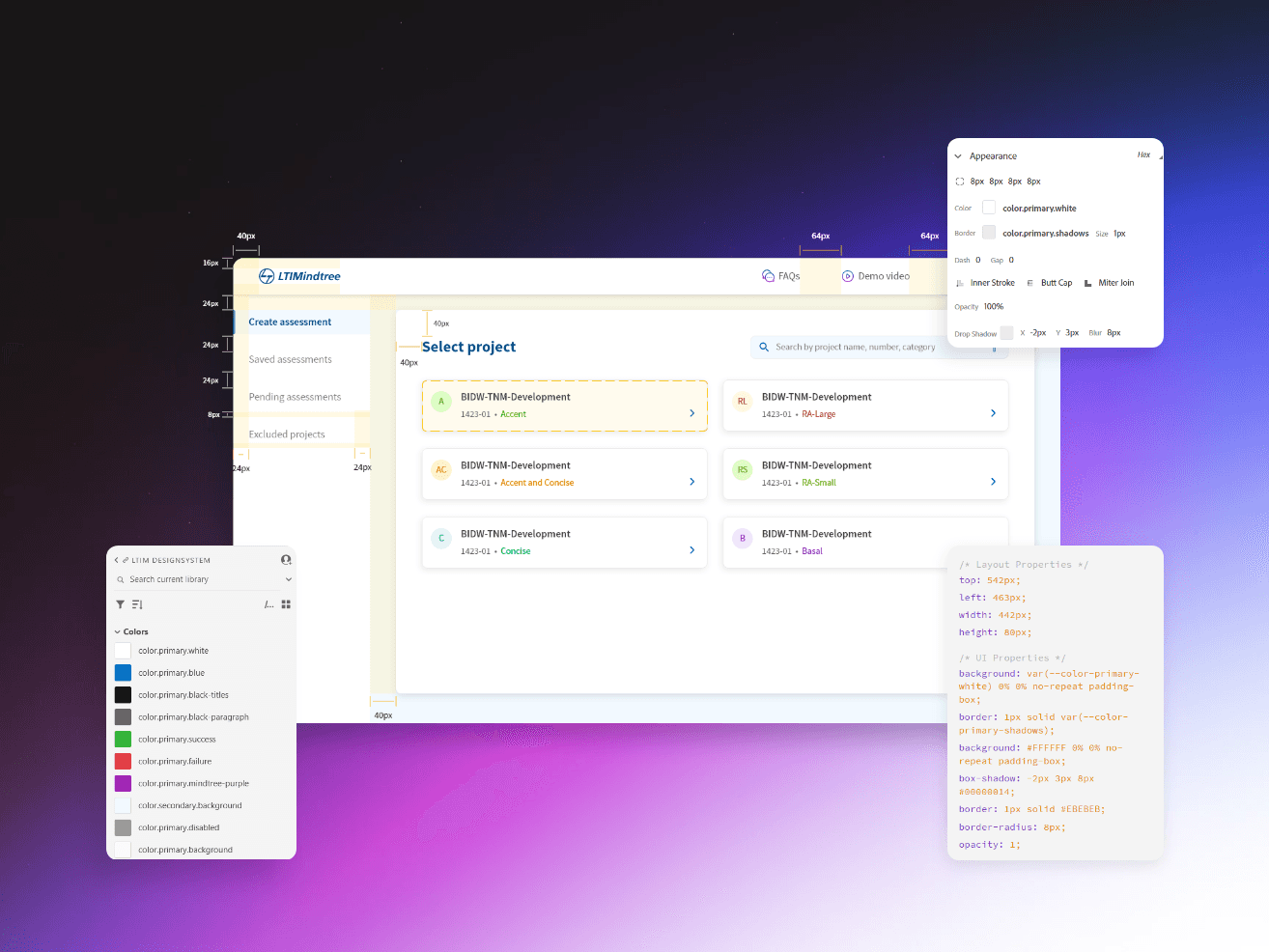
Developer Handoffs & Governance
The goal wasn’t control, it was consistency and trust.
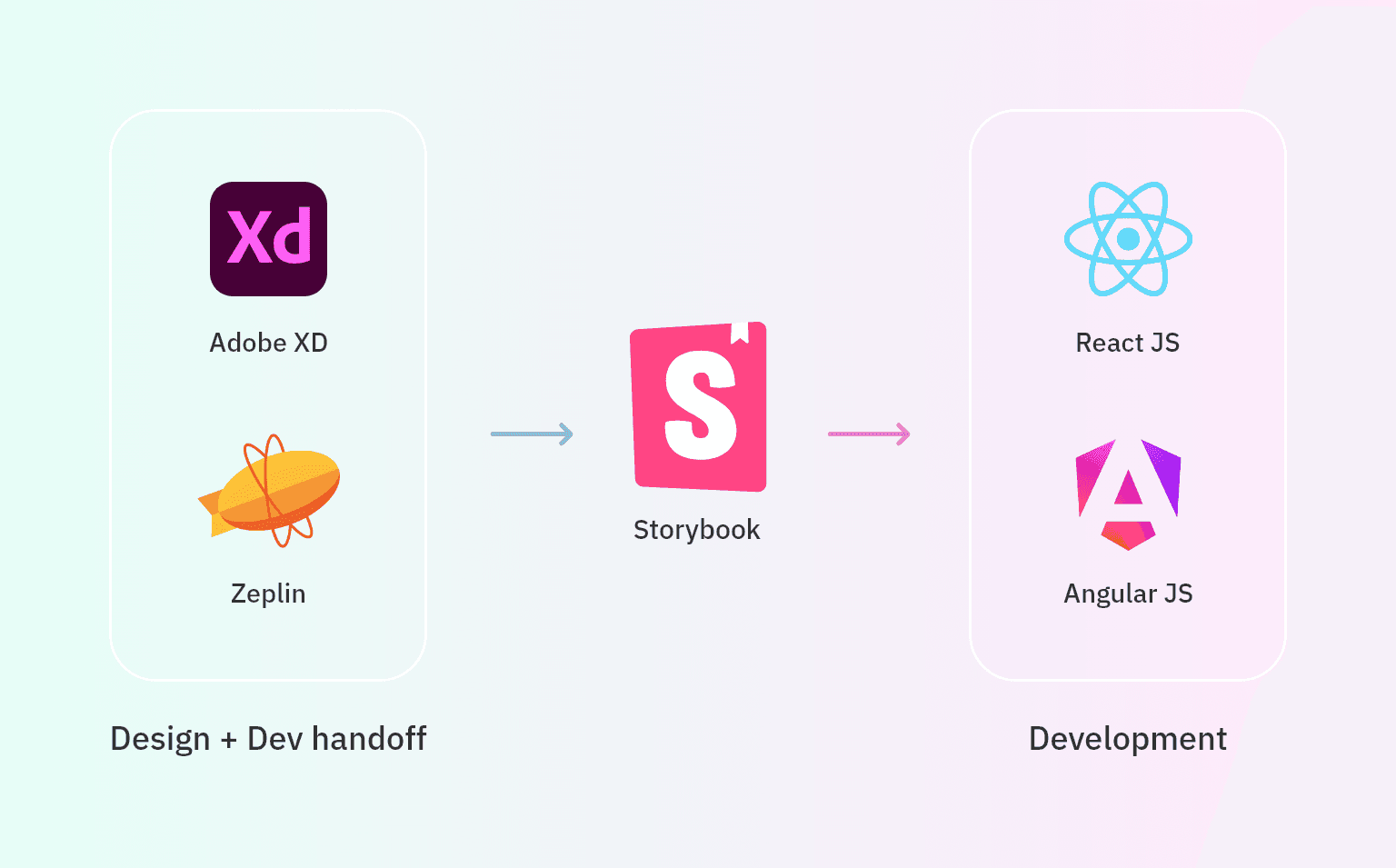
Improved alignment between digital flows and physical processes
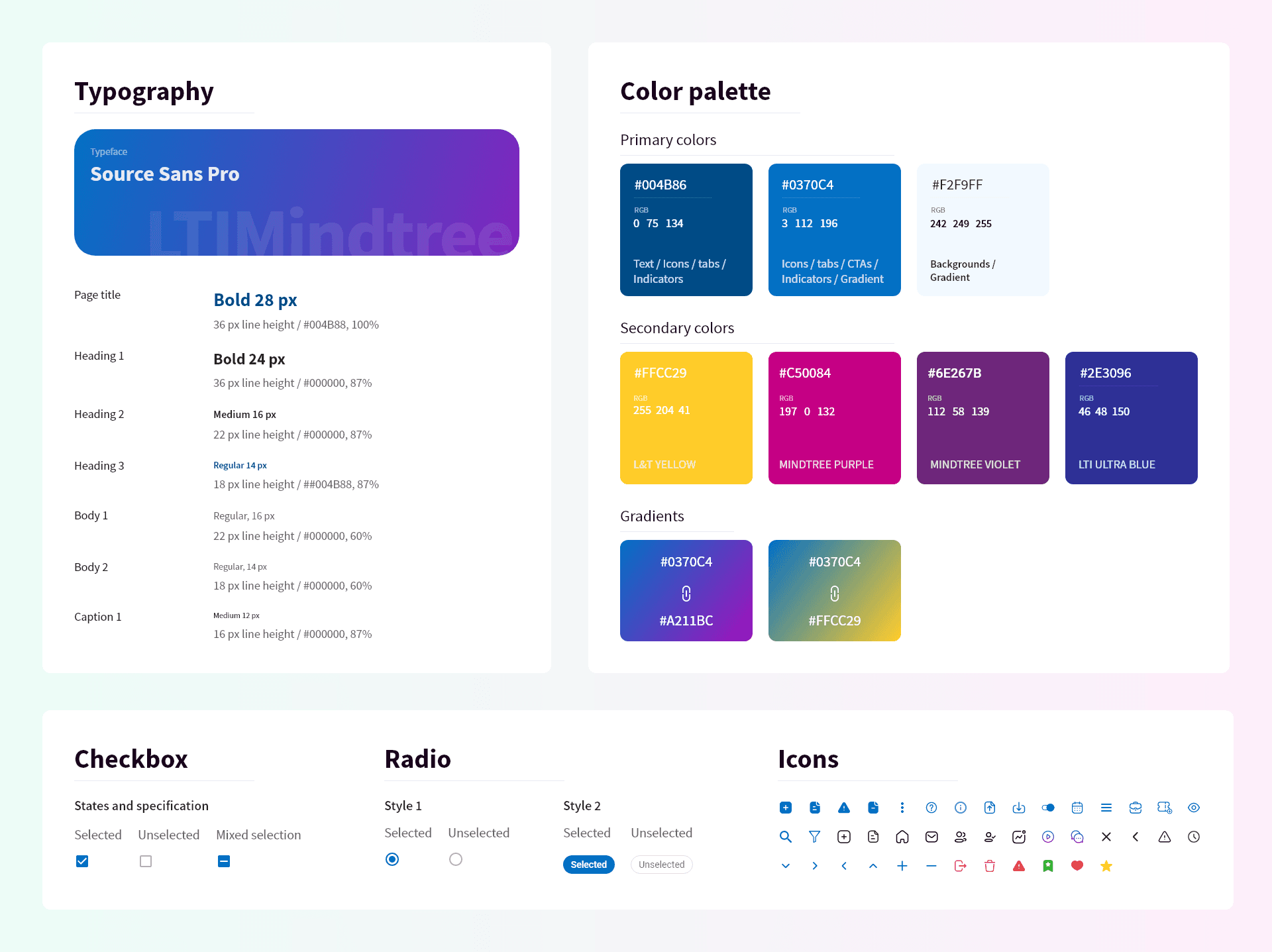
Integrated into both React and Angular projects.
Emphasized reusability by building scalable, variant-rich components that could be consumed across net banking and mobile banking products.
Weekly design-dev reviews ensured design - code consistency.
Storybook became a centralized UI library, making it easier for devs to explore, test, and consume components without ambiguity.
Amazing Metrics & KPIs
It started small but brought a significant changes in the time, efficiency and ease of shipping portals
80% reduction in redundant UI styles
30–40% faster design-to-development handoffs
20+ portals adopted within 6 months
30+ portals actively using the system by the end of 2023 (when I left the organization)
Teams stopped debating visual decisions
Designers focused on solving new problems
Developers reused instead of rebuilding
Products felt related, not fragmented
What I’d Improve Next
If extended further, I’d explore
Reduce the gap between digital booking & physical locker activation by designing a seamless flow between app, branch staff, on-site processes.
Leverage lightweight behavioral signals (hesitation, repeated back-and-forth actions) to dynamically adjust the interface
Use AI to identify accessibility needs implicitly (e.g., repeated difficulty selecting locker locations), proactively suggest more accessible options.
Introduce an AI assistant to answer contextual questions like “Which locker is best for jewellery?” without forcing users to leave the flow.